Halcyon
A quiet workspace for attention: one timer with room to breathe, a plan you can argue with, a place for stray thoughts, and a small studio for the silence between.
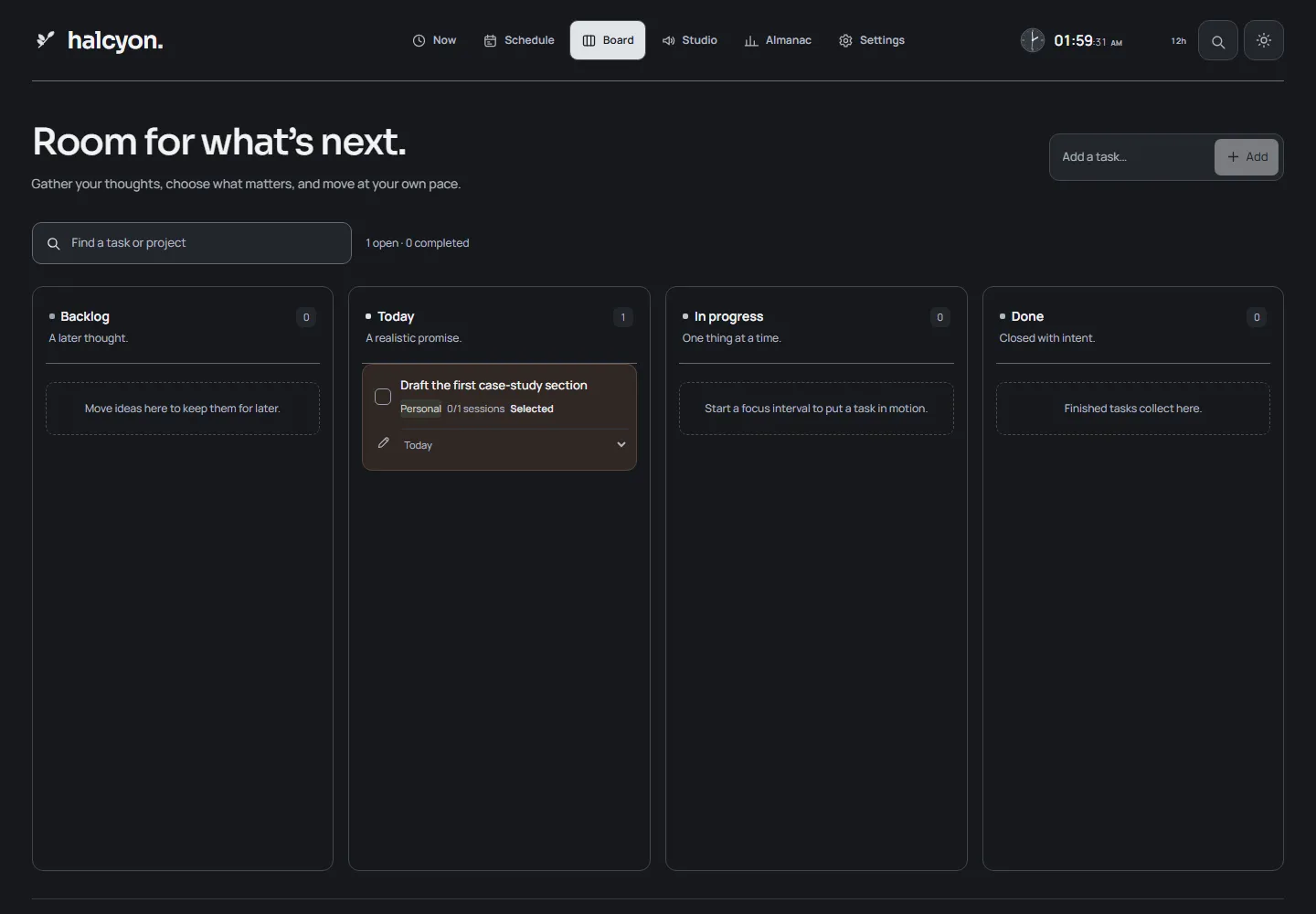
- Destinations
- 6Now, Schedule, Board, Almanac, Studio, Settings
- Sound studio
- 4 × 16Four voices across sixteen steps
- Beats per track
- 64Independent beats stitched into one arrangement
- Persistence
- LocalBrowser storage, no account required
Halcyon is a focus workspace built around a quieter idea of productivity. It does not begin with a dashboard. It begins with a timer that has room to breathe, one task in view, and the option to plan the day without turning the plan into another task.
The name is the promise: a calm interval. The interface is designed to protect that interval rather than fill it.
Overview
The workspace has six destinations:
- Now for the live timer, the current task and the day’s focus.
- Schedule for a dated plan with real times and real gaps.
- Board for work at different stages.
- Almanac for the week that actually happened.
- Studio for a four-voice, sixteen-step sequencer.
- Settings for timing, appearance, sound and archives.
Everything is stored in the browser. There is no account, no hosted database and no claim of cross-device sync. The app can be installed as a PWA, and the landing page and workspace have separate offline shells.
The focus room
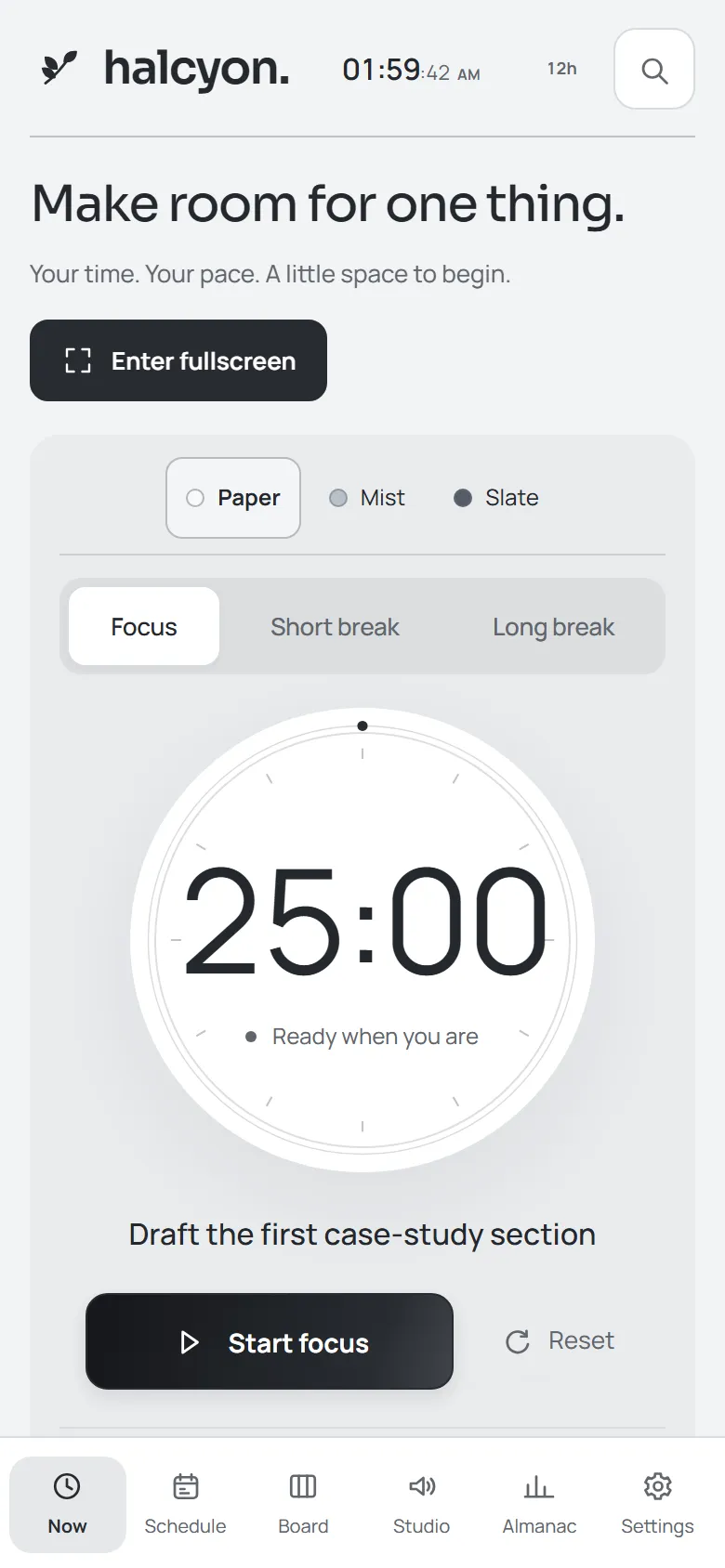
The timer is the centre of the product. It is a paper dial with twelve tick marks, a single progress ring and one session label below it. The remaining time is always available as text, not only as an arc. Focus, short break and long break are directly selectable, and the timer never starts itself.
Three details give the timer its character:
- Atmospheres. Paper, Grove and Dusk change the surface around the dial to neutral, sage or apricot, with matching dark variants.
- Session starters. Fifteen-minute Quick reset, twenty-five-minute Find your flow and fifty-minute Go deeper prepare an interval without starting it or changing the saved default.
- Fullscreen Focus room. The same mounted timer expands into a viewport-filling room with atmosphere controls, sound, and an inline thought capture. Escape or the sticky Exit focus button returns to the workspace with the session intact.
An optional ambient sound strip sits beneath the timer, with a scene selector and a play/pause control. Audio only begins after a user gesture. When a focus interval is active, a compact timer stays reachable from the other views.
Planning that explains itself
Schedule is a dated planner, not a list with times attached. A week strip selects the day, a timeline shows open gaps, and the task list sits beside it. Tasks can be created there, placed with one click, or dragged into a specific slot.
Focus blocks, breaks and fixed commitments have editable names, dates, times and lengths. Blocks can be moved across days, resized from either edge, and completed. Overlapping blocks stay readable side by side, and the calendar includes current-time and planning-hour guides.
The more interesting behaviour is replanning. Halcyon can preview a new arrangement before touching the workspace:
- Fixed commitments and the active session are reserved.
- Flexible work moves around them, considering due dates and priorities.
- Work that cannot fit stays where it is and is named in the preview.
- Nothing changes until Apply, and one step of Undo is available afterwards.
That is a small but important distinction. Most planners either refuse to explain themselves or quietly destroy the plan you made. Halcyon shows its reasoning first.
Tasks, thoughts and returning
Tasks carry a project, due date, priority, estimate, notes, subtasks and a saved next step. Task details open in a side panel so the work underneath stays in context. Renaming a task updates linked schedule blocks that still match the old name.
Two smaller features carry a disproportionate amount of the product’s care:
- Thought inbox. A persistent capture surface for interruptions that are not tasks yet. Thoughts can be searched, edited, converted into a backlog task, archived and restored. Converting one keeps a link to the created task and prevents a duplicate conversion.
- Resume notes. At the end of a session, a next step can be left beside the task. When the task is opened again, that note is waiting. It is a defence against spending the first ten minutes of every session reconstructing where the last one ended.
Workspace search opens with Ctrl/Cmd K and reaches tasks, all six destinations, thought capture, presets, timer controls and theme changes. Arrow keys and Enter operate the results; Escape closes the panel and restores focus.
The sound studio
Studio is deliberately desktop-first. It is a four-voice, sixteen-step sequencer with an audio-clock playback engine, live tempo and volume, instrument previews, per-voice mute and keyboard pad navigation. Drafts and saved loops persist independently, and fresh workspaces begin with an empty grid.
A separate track editor stitches up to sixty-four independently editable beats into one arrangement. Beats can be added, duplicated, reordered, removed, repeated for one to sixteen bars, and undone. A shared tempo, master volume, playback position and loop/play-once control keep the sections together. Up to twenty track copies are stored locally.
Studio playback continues in Focus with a visible pause control. Selecting an ambient scene stops the loop. The studio is not a separate product bolted on; it is part of the same attention system, available when silence needs a little structure.
The Almanac
Almanac is the view that keeps the rest honest. It shows a selected calendar week with planned versus recorded focus for each day, project totals, completed-task estimate comparisons, recent intervals and a saved weekly review.
Recorded focus is treated carefully. A completed interval counts its planned duration; an early finish counts the elapsed focus time, excluding pauses. Older early finishes without recorded time are labelled unavailable rather than guessed. Every chart has a text value, and no metric invents focus data to fill a gap.
Local by design
Halcyon stores its workspace in IndexedDB with a localStorage snapshot, migrates older workspace shapes, recovers after refresh, and keeps tabs in sync. Archive export and import provide a backup path that does not depend on a server.
There is no account system and no cloud sync. The interface does not imply otherwise. Cross-device sync would require accounts and a hosted data service; native mobile apps are deferred. The current product is explicit about being a local tool.
Screens
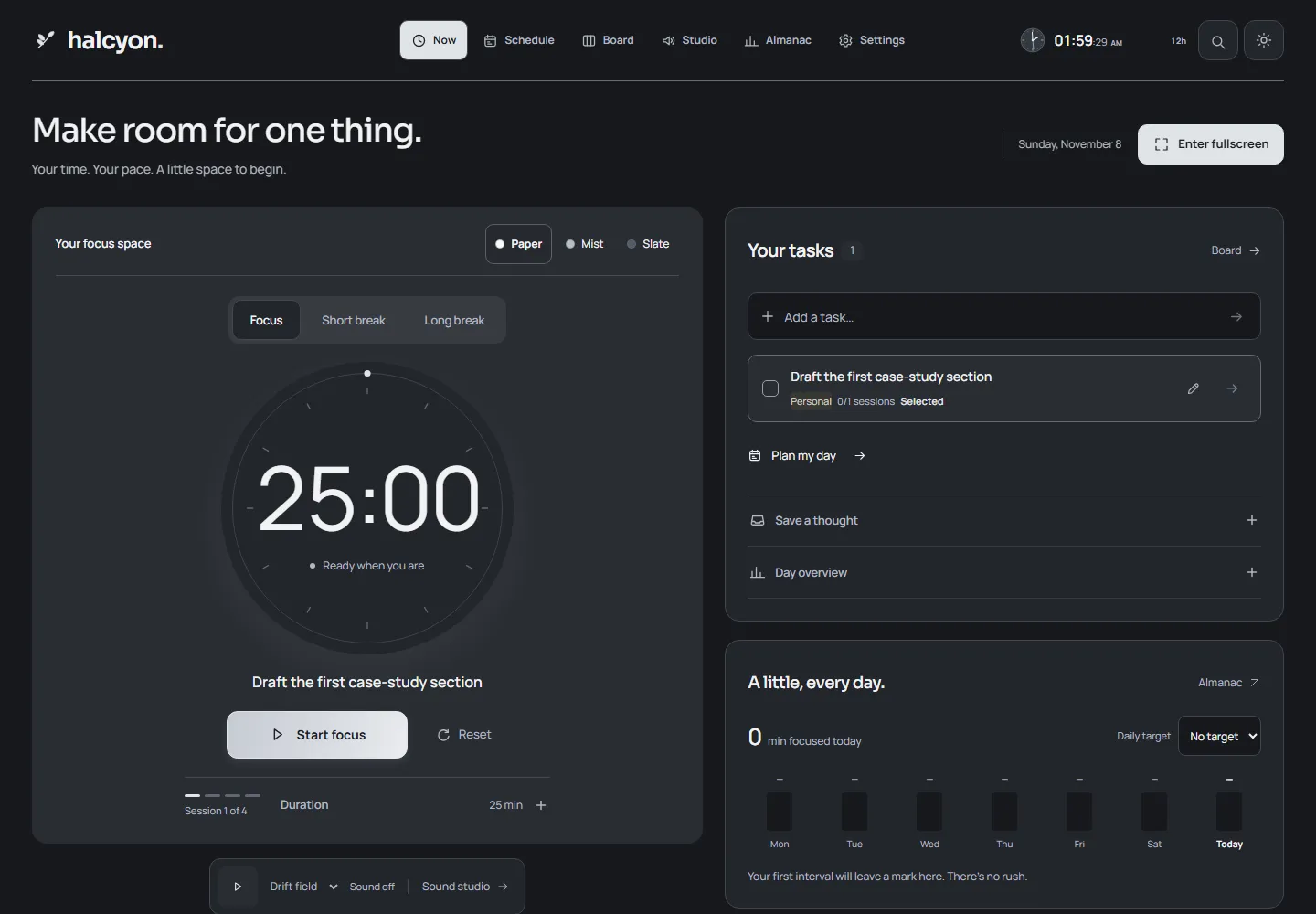
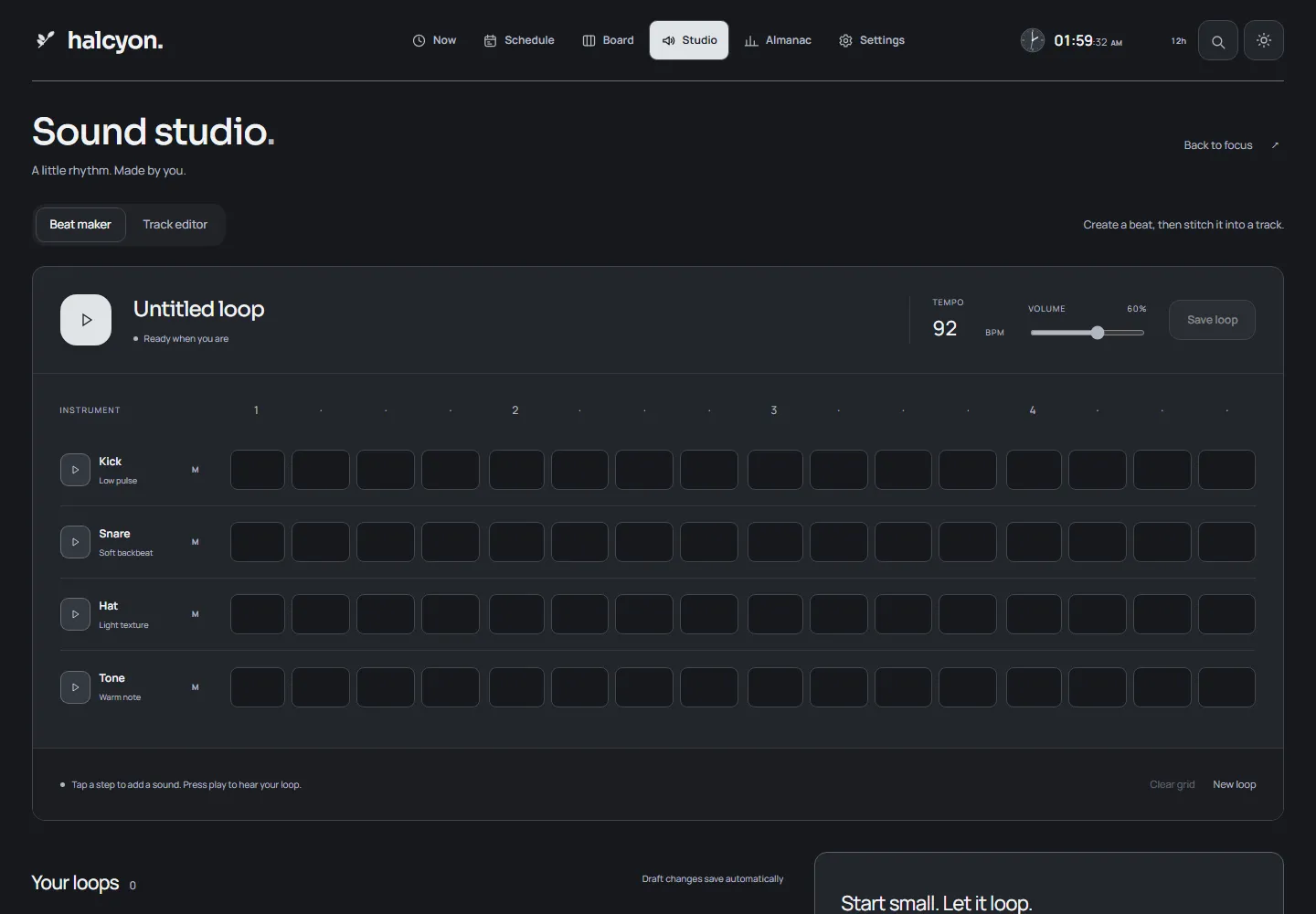
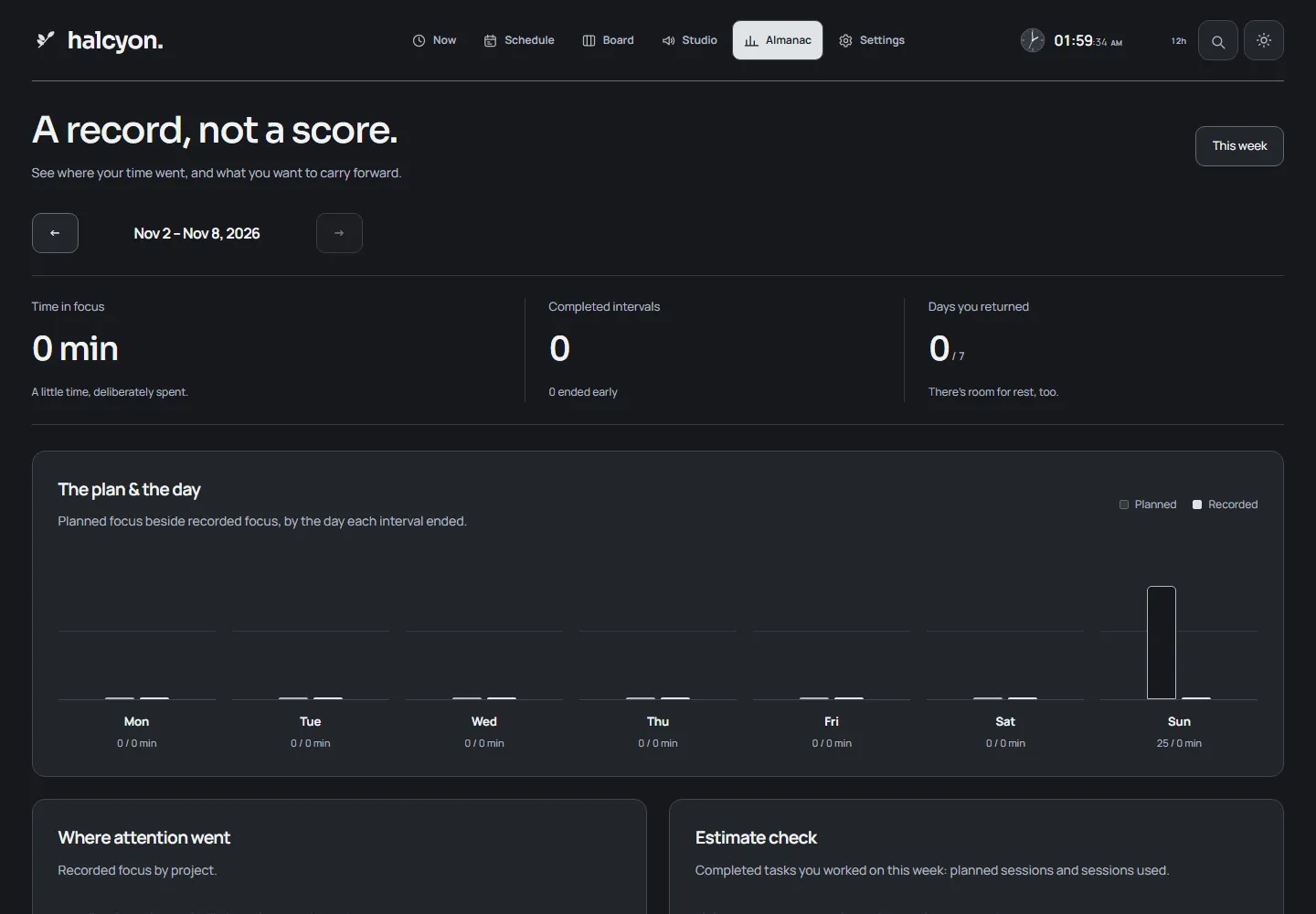
Screenshots from the local build in the dark theme, after completing the three-step onboarding. The tasks, blocks and review text were entered through the interface for the capture.
Design
Halcyon uses self-hosted Sora for headings and the wordmark, and Manrope for controls, task text and countdown numerals. Both are variable fonts with local OFL licences; typography does not depend on an external font service.
The visual system is built from a warm ink surface, terracotta accents, sage and apricot supporting details, and a 20px card radius. Primary controls have at least 44px targets. Focus is visible, native inputs are labelled, timer state is available as text, and quiet motion or the system reduced-motion setting removes nonessential transitions.
None of that is decoration for its own sake. A focus tool is used in the same room, at the same desk, every day. Restraint is what keeps it from becoming another source of noise.
Architecture
Next.js + React + TypeScript
   ├── Now / Schedule / Board / Almanac / Studio / Settings
   ├── IndexedDB + localStorage → workspace, archives, presets
   ├── Web Audio API → sequencer, track playback, ambient scenes
   ├── Framer Motion → navigation, dialogs, disclosure
└── PWA shells → landing page and workspace offline- Next.js, React and TypeScript carry the landing page and the workspace.
- IndexedDB and localStorage hold the workspace, archives, presets and the clock format preference.
- Web Audio API drives the sequencer, track playback and ambient scenes.
- Framer Motion supplies the navigation pill, panels and reduced-motion-aware transitions.
- PWA shells keep the landing page and workspace available offline.
What works today
- A live timer with focus, short and long breaks, atmospheres and session starters.
- A dated Schedule with drag placement, resizing, copying, overlap handling and explainable replanning.
- Board, task details, subtasks, estimates and resume notes.
- A searchable thought inbox with conversion to tasks and restoration.
- Focus presets, workspace search and keyboard navigation.
- A four-voice, sixteen-step studio and a sixty-four-beat track editor.
- An Almanac with planned versus recorded focus and saved weekly reviews.
- Local persistence, migration, cross-tab updates and archive export/import.
- Light and dark appearance, with the dark theme shown here.
The source is on GitHub.
Limitations and next
- No cloud sync. Data lives in the browser. Export/import is the backup path, and losing the device means losing the workspace unless an archive exists.
- No native mobile app. The workspace is responsive and installable, but native mobile work is deferred. Studio is intentionally desktop-first.
- The Almanac is descriptive. It compares planned and recorded time; it does not claim to measure learning or productivity.
- The planner is rule-based. It considers deadlines, priorities, fixed commitments and available time, but it is not an optimisation engine and its preview can decline to fit work.
- The product is account-free by choice. That keeps the data local, but it also means there is no recovery path beyond the user’s own archive.
The next honest step is not another surface. It is a durable backup story and, if the product needs to travel between devices, an account model that does not quietly turn local data into a service.
Reflection
Halcyon began as a reaction to focus apps that look like control rooms. The timer is the one thing a person actually needs; everything else should either prepare that interval or help understand it afterwards.
The hardest part was not the sequencer or the calendar. It was keeping the interface honest about what it knew. A planner that explains why work cannot fit, an Almanac that labels missing time instead of filling it, and a data model that stays on the device are all the same decision: do not perform certainty.